Use All Custom Formulas in Owner Statement Emails
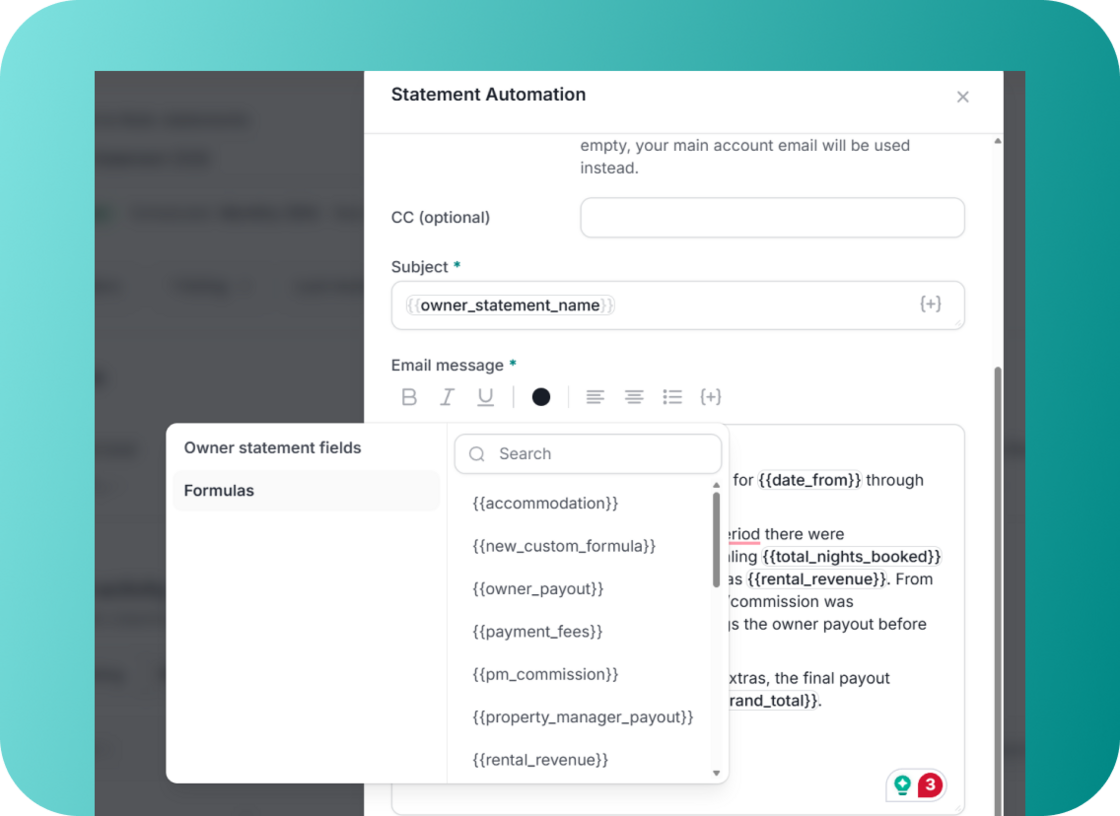
We expanded our dynamic email fields to support all of your custom formulas for owner statement emails. Previously, the emails were limited to basic formulas, requiring manual workarounds for custom calculations. Now, your outgoing emails can include every single one of your custom formulas for each owner.
What's New:
-
Full formula support: All your custom formulas are now fully supported as dynamic fields when drafting owner statement emails.
-
More personalized emails: You can now pull highly specific, tailored data points (like custom payouts, property manager commission structures, and specific fees) directly into your email body, no more manual editing before hitting send.
How It Works:
-
Go to your Auto-Statement settings and open your email template editor.
-
Click on the {+} (Dynamic Fields) icon in the email body toolbar.
-
Select "Formulas" from the list to see your full directory of custom formulas.
-
Click your desired formula to insert it into the email text (e.g., {{newcustomformula}}).
-
Click "Done" to save.
This release saves you time and ensures your owner statements are highly personalized. For more details on owner statements and auto-statements, check out our USER GUIDE.