Total Price Shown in Booking Engine Search Page
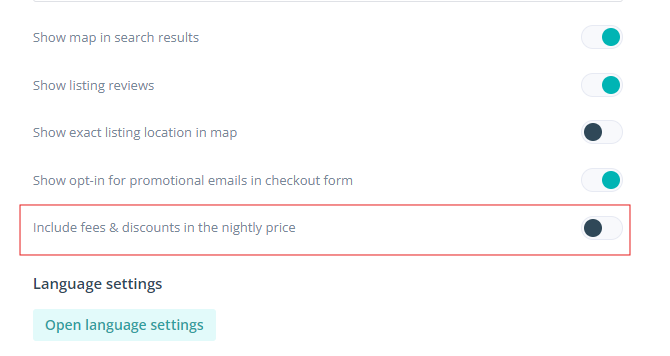
We’re excited to share that you can now choose to display the total price on your direct booking site search page. Before, the feature was displayed by default and it couldn’t be turned off. Clients can now choose to show prices with or without fees by navigating to the booking engine.
How It Works
-
Go to Booking Engine
-
Click on ‘Settings’
-
Select ‘Basic’
-
Turn on the toggle ‘Include Fees & Discounts in the Nightly Rate’.
When the toggle is enabled, the nightly rate and total price will include fees and discounts. If the toggle is disabled, the nightly rate and total price will exclude fees and discounts. This update ensures Hostaway users can be compliant with the new legislation that took effect on July 1st in California.
If you want an overview of our booking engine, please see our USER GUIDE.