Stripe Links to Guest Profile and Transaction
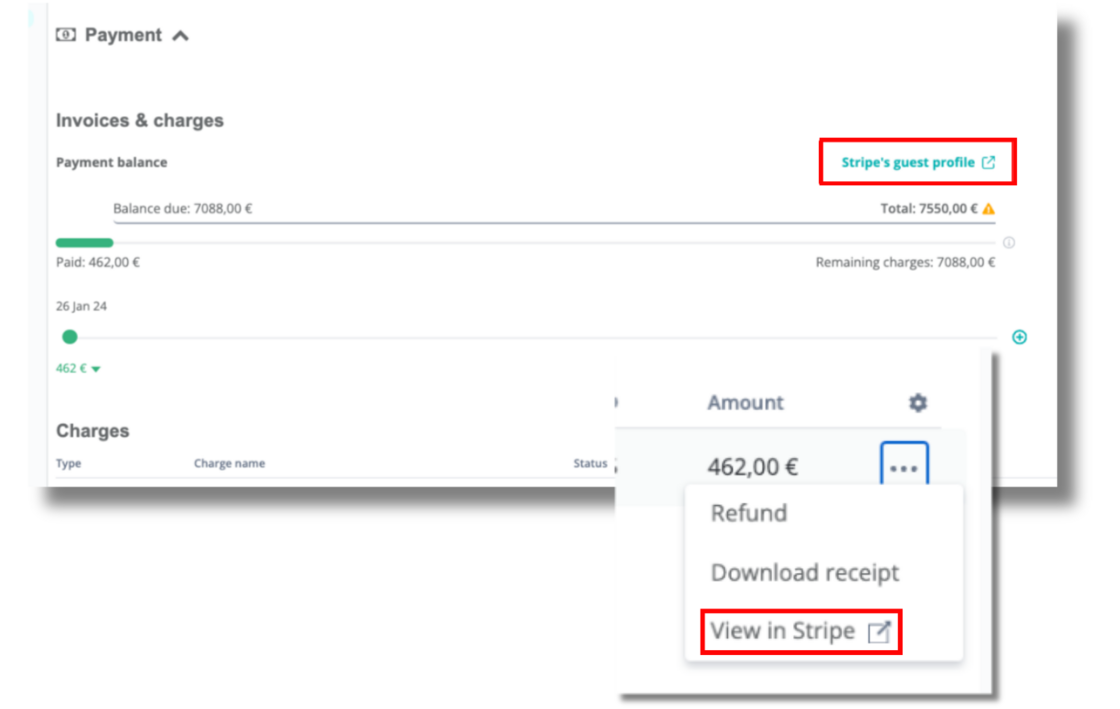
Previously, you had to manually search for a guest profile or transaction on Stripe. Now you can save time by easily viewing this directly through their reservations on Hostaway!
Here's how:
-
To view guest profile, go to Reservations --> Payments section --> click on "Stripe's guest profile"
-
To view each guest transaction, in the same section above, click on
 icon next to the amount --> click on "View in Stripe" in the dropdown box. Make sure you have set permissions to View Permissions for Guest payments.
Note: In order to see the pages on Stripe, make sure you are connected and logged in.