Simpler, Clearer Booking Engine Settings
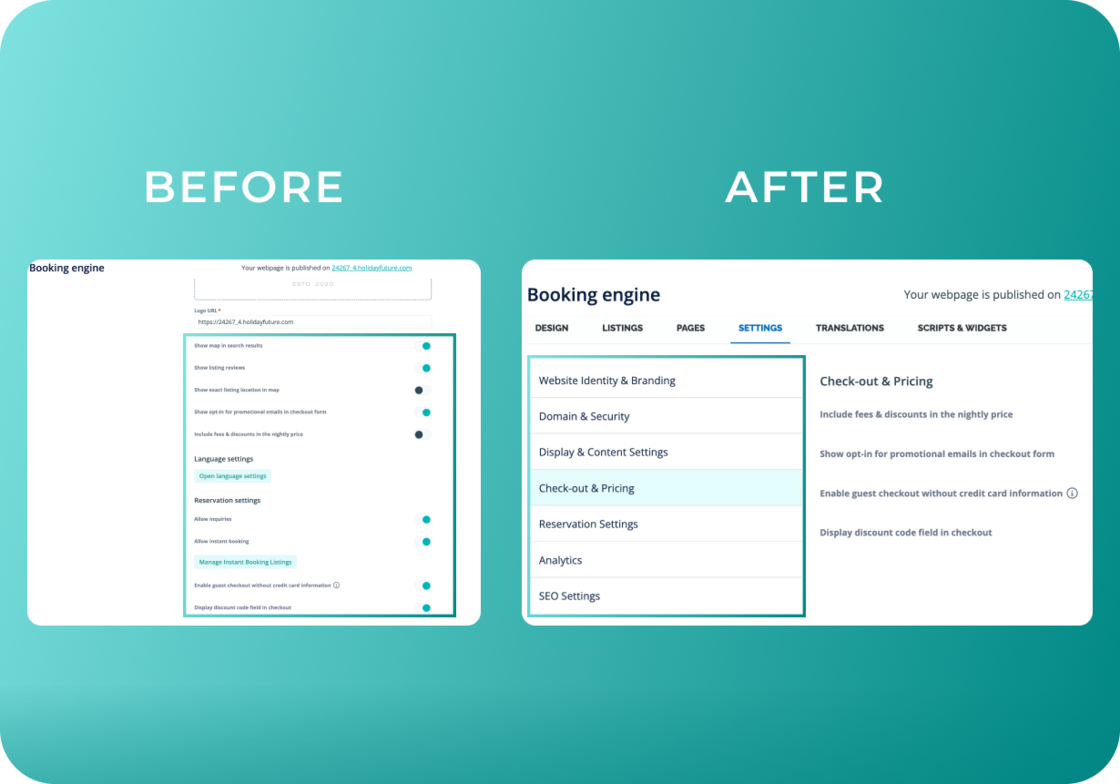
We've reorganized Booking Engine settings into clear, logical categories so you can find and customize settings faster.
Settings Tab now includes:
-
Website Identity & Branding - Logo, favicon, website name
-
Domain & Security - Domain and cookie banner
-
Display & Content - Map, reviews, amenities order
-
Checkout & Pricing - Price display, promo codes, checkout settings
-
Reservation Settings - Direct booking and inquiry options
-
Analytics - Facebook Pixel and Google Analytics
-
SEO - Search engine optimization
New Dedicated Tabs:
-
Scripts and Widgets - All widget configurations in one place
-
Translations - Language settings moved here for easier access
Why it matters:
Your Design, Listings, and Pages tabs remain exactly where you expect them, we've simply reorganized everything into intuitive categories. This means less time searching for the right setting and more time optimizing your booking engine to drive direct bookings and grow your business.
For more information on the Booking Engine settings, check out our USER GUIDE.