Set up more of your Booking.com listing without leaving Hostaway
You can now set up even more of your Booking.com listing directly in Hostaway. Complete key setup steps in one smooth flow so you can go live faster, with invoice details and fees ready from day one.
What’s new:
-
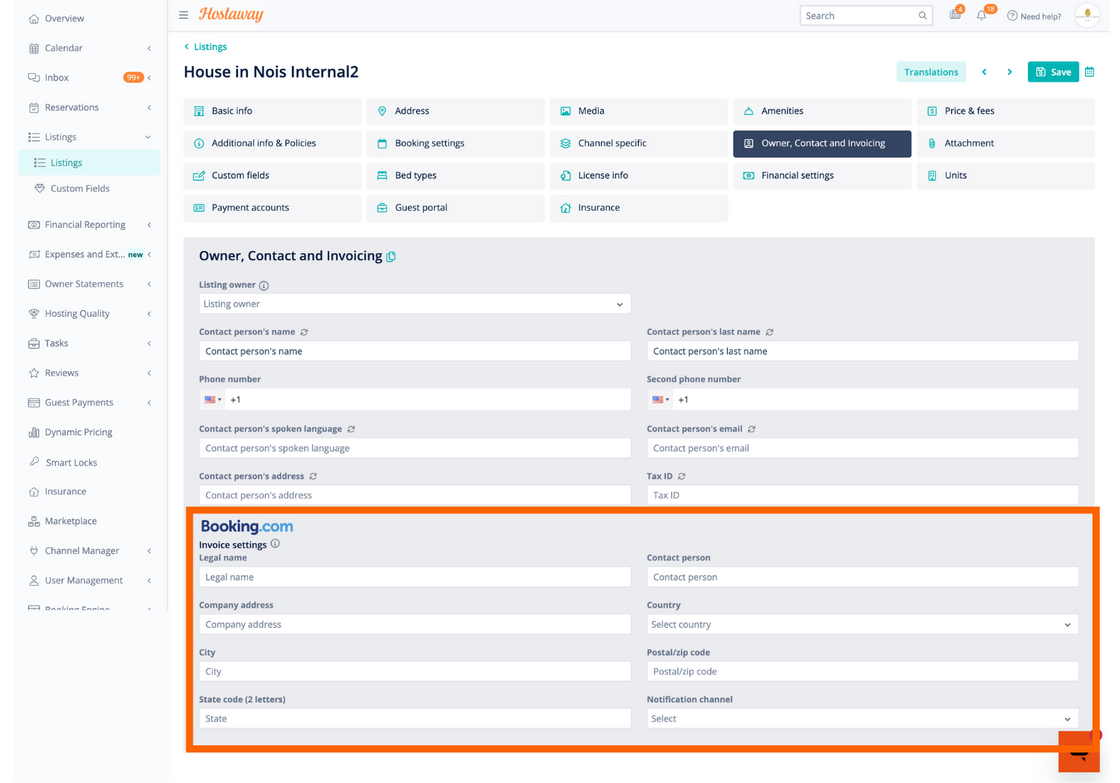
Invoice details in Hostaway: Add your invoicing information in Listing Settings before exporting to Booking.com. These details are used on your monthly Booking.com commission invoices (usually during the first week of each month).
-
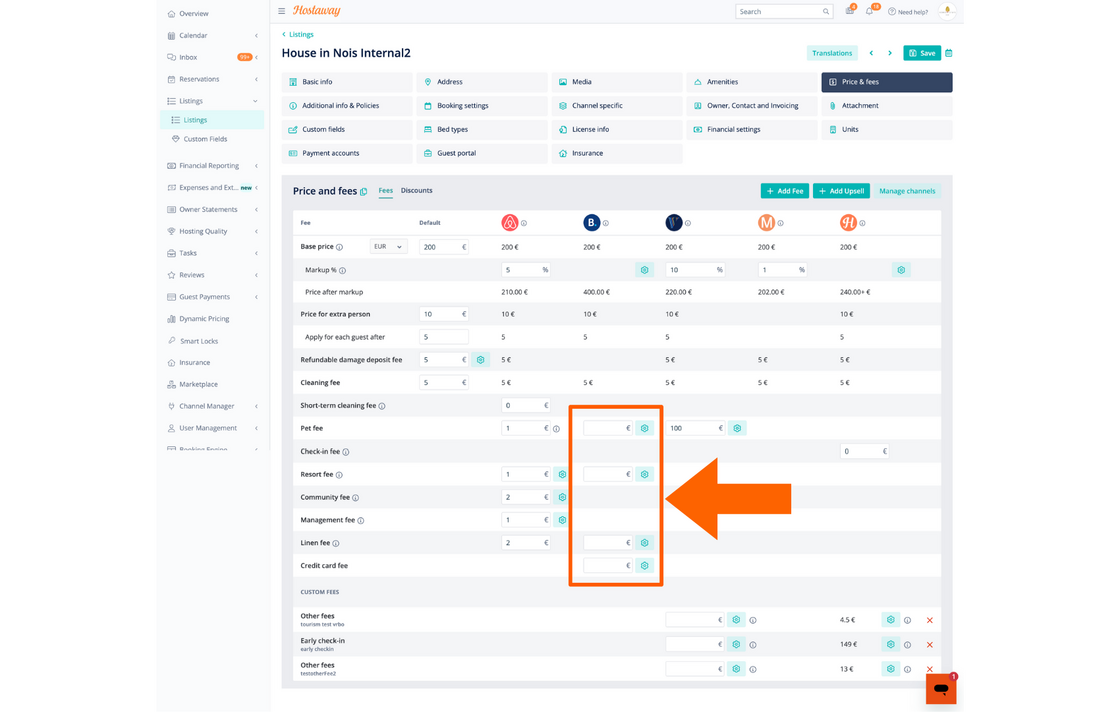
Additional fee settings: You can now configure extra fees — like pet, resort, or linen — directly in Hostaway. When you export a new listing, these fees are automatically sent to Booking.com.
How it works:
-
Open your listing in Hostaway.
-
Go to Listing Settings.
-
Enter your Invoice Details (billing name, address, tax info, etc.).
-
Add any Additional Fees (e.g., pet, resort, linen).
-
Export the listing to Booking.com — all these details are sent in one go.
NOTE: only available for the initial listing creation.
To learn more about exporting listings to Booking.com, check out our USER GUIDE.