Push a Custom Customer to QuickBooks Online
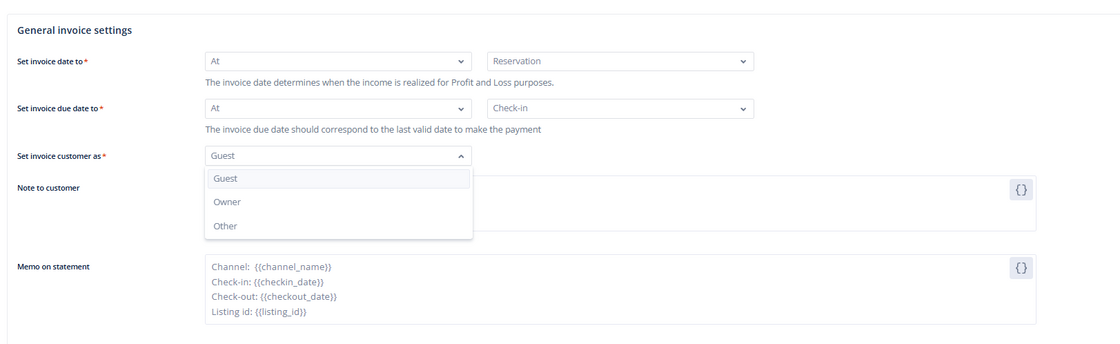
Before, we sent the guest's name as the customer to QuickBooks Online by default. This was limiting for users because it cluttered the customer section in QuickBooks with hundreds of guest entries for each booking. Now clients who prefer associating invoices with an owner can have the flexibility to push a "custom customer" to QuickBooks.
You have a few options on who to set as the invoice customer:
-
Guest: Pushes the guest's name and related data
-
Owner: Pushes the owner's name and related data
-
Other: Input custom text or use the dynamic fields such as listing name or channel.
For more details about our Hostaway x QuickBooks Online integration, check out our USER GUIDE.