Order Expenses by Any Column on Owner Statements
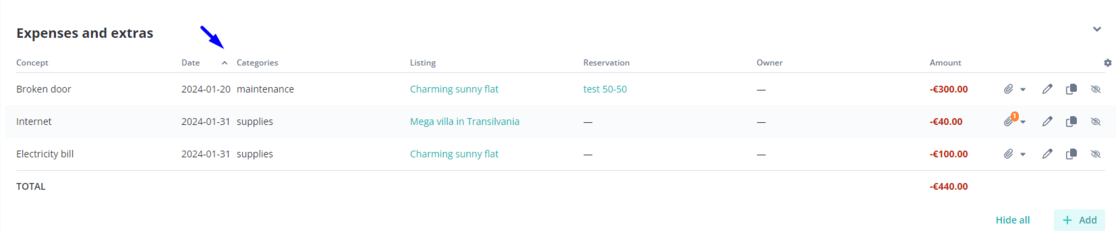
Before, expenses in owner statements were listed in order of their creation date.
But, there are many cases when you might want to order them differently - for example by name, category, date, listing, or amount.
Now, clicking on the column title in the Expenses and Extras table on an Owner Statement will order expenses by that column. This order will be saved on the Owner Statement, and for any future users who see it.
How It Works
-
In the Owner Statements module, click on "Create & Edit"
-
Scroll down to the "Expenses & Extras table"
-
On the table, click on a column you wish to sort by. Click again if you wish to switch from ascending vs descending order
This new ordering criteria will be saved together with the statement and displayed this way to all users with access to it.
For more information on Expenses & Extras, check out our USER GUIDE