New Stripe Payment Methods for Guests
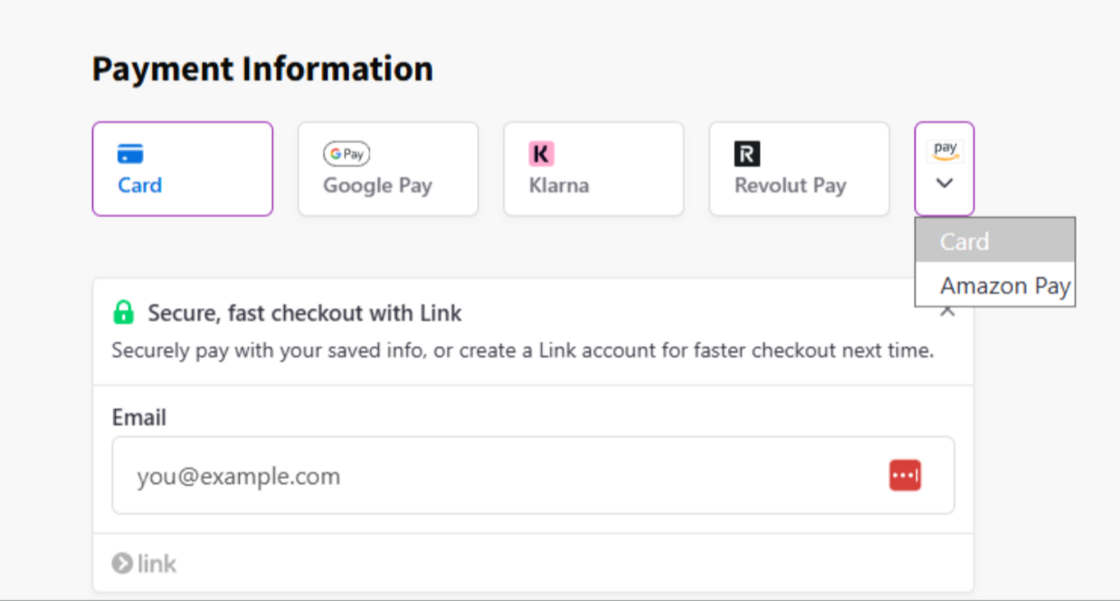
We're expanding the payment options available to guests at checkout, manageable in just a couple of clicks based on your business needs. Hostaway's checkout will automatically display the best available methods for each guest based on their device and eligibility.
Why it matters:
More choice at checkout means fewer drop-offs and a smoother path from "book" to "confirmed." The Booking Engine, Guest Portal, and Payment Links now support Cards, Apple Pay, Google Pay, Link, Amazon Pay, Revolut Pay, and Klarna as secure, easy-to-use checkout methods.
What's new:
-
Link (Default — Stripe's secure digital wallet for fast, familiar checkout.)
-
Klarna (Optional — buy now, pay later options for guests.)
-
Amazon Pay (Optional — pay using a stored Amazon account.)
-
Revolut Pay (Optional — pay directly from the Revolut app.)
How it works:
-
Open the connected Stripe account on your Hostaway dashboard
-
Click the link to Stripe's Payment Methods section
-
Enable or disable the methods you want to offer guests
Note: More payment methods are coming soon, stay tuned.
For setup details, see our USER GUIDE.