New Design Changes for the Formula Lists in Financial Settings
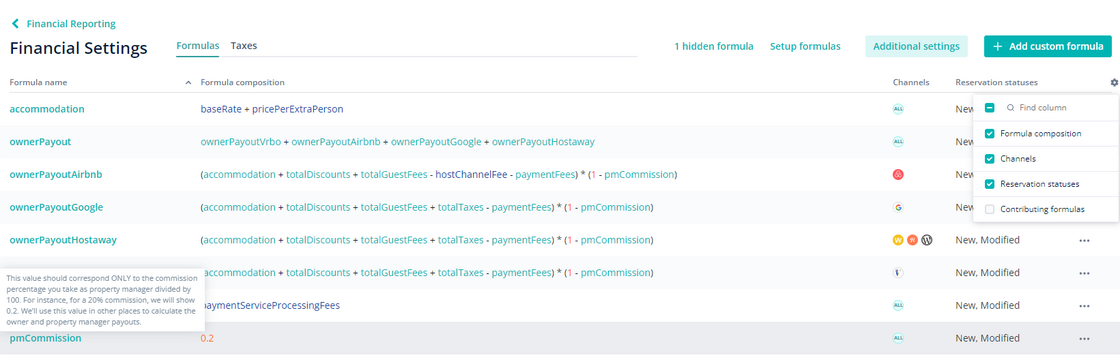
We have introduced a new design for displaying formulas in Financial Settings to match the rest of Hostaway’s user interface.
Here's what's new:
-
New Grid Layout: Formulas are now displayed in a grid format with relevant data organized into columns.
-
Customizable Columns: You can choose which columns to display, hide, sort, and rearrange by dragging and dropping.
-
Streamlined Actions: Actions can now be accessed under a dedicated "…" menu for convenience.
-
Search Function: You can quickly find formulas by name.
-
Channel Filter: Address the specific channels you need with ease.
-
Tooltips: Hover over to any financial field to better understand it.
The purpose of the change is to make it easier to learn and work with formulas and make the interface more intuitive.