Modify Check-Out Dates for Booking.com Reservations
Hostaway is all about giving our hosts flexibility and control, all in one place.
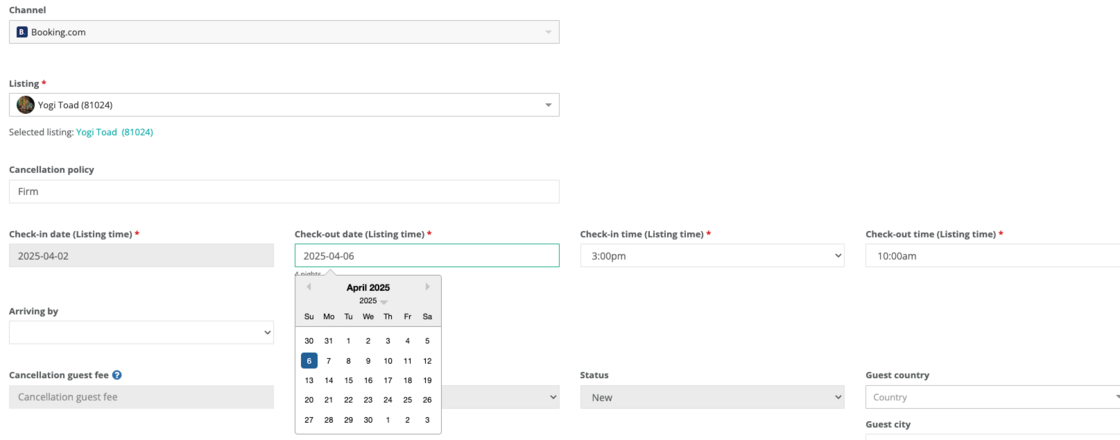
In our latest update, this means being able to modify check-out dates for reservations from Booking.com, directly from the Reservation Details page.
How it works:
-
From the Reservations list, select "Edit" on the reservation you wish to update
-
Adjust the check-out date and check-out time
-
Hostaway calculates the new price and sends it to update on Booking.com
-
Once approved by Booking.com, the guest is notified, and the reservation is updated automatically on Hostaway with the final price
⚠️ Important Conditions
A check-out date can only be changed if:
-
The guest has already checked in
-
The reservation is not cancelled
-
The booking is not overbooked
-
The property does not use payments by Booking.com or online payments
-
The check-out date hasn’t been modified in the last 24 hours
.
Resources
-
For more information on connecting Booking.com in Hostaway, check out this USER GUIDE
-
For more information on managing reservations, check out this USER GUIDE