Last 4 Digits of Guest Debit/Credit Card In Charges Table
There are times when a guest's card simply doesn't work. But, trying to resolve their payment issue without being able to identify what card they used can make the process frustrating.
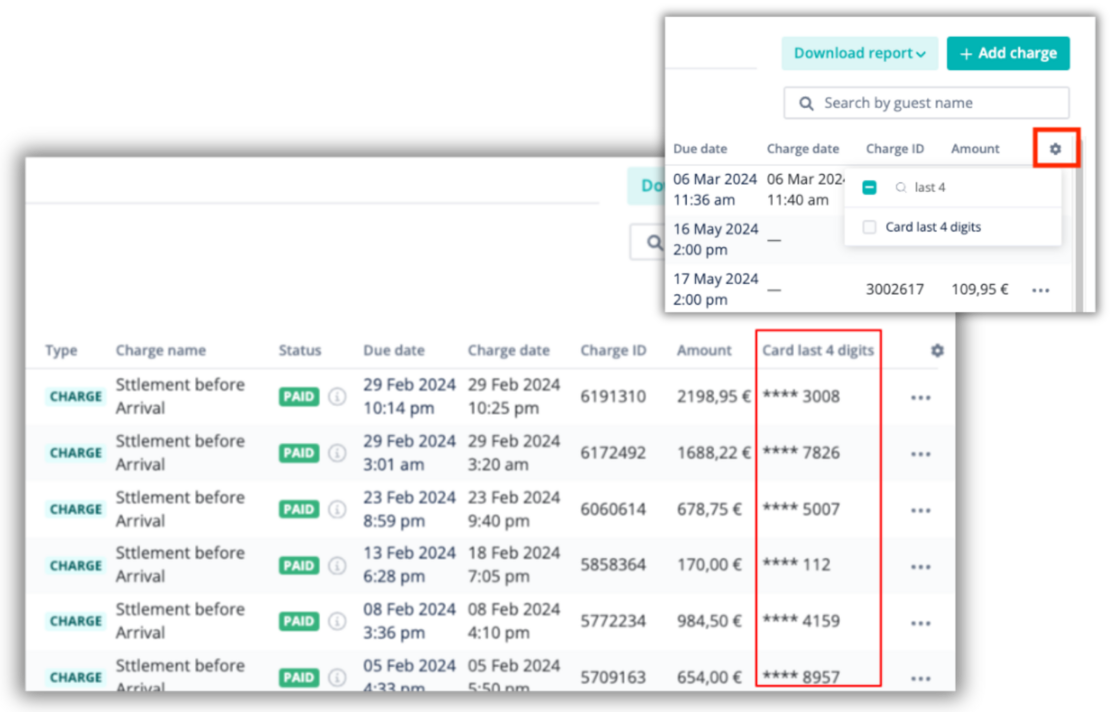
Now, you can see the last 4 digits of the debit/credit card a guest used for charge or refund, so that they can help them quickly resolve the issue, and you can get paid faster.
How It Works:
-
Open the Charges page in the Guest Payments module
-
Click the ⚙️ icon on the top right corner of the table, and select "Card last 4 digits"
Once selected, the column will show in the charges table and when downloading a CSV.