AI Replies: New Guided Onboarding & Rule Creation
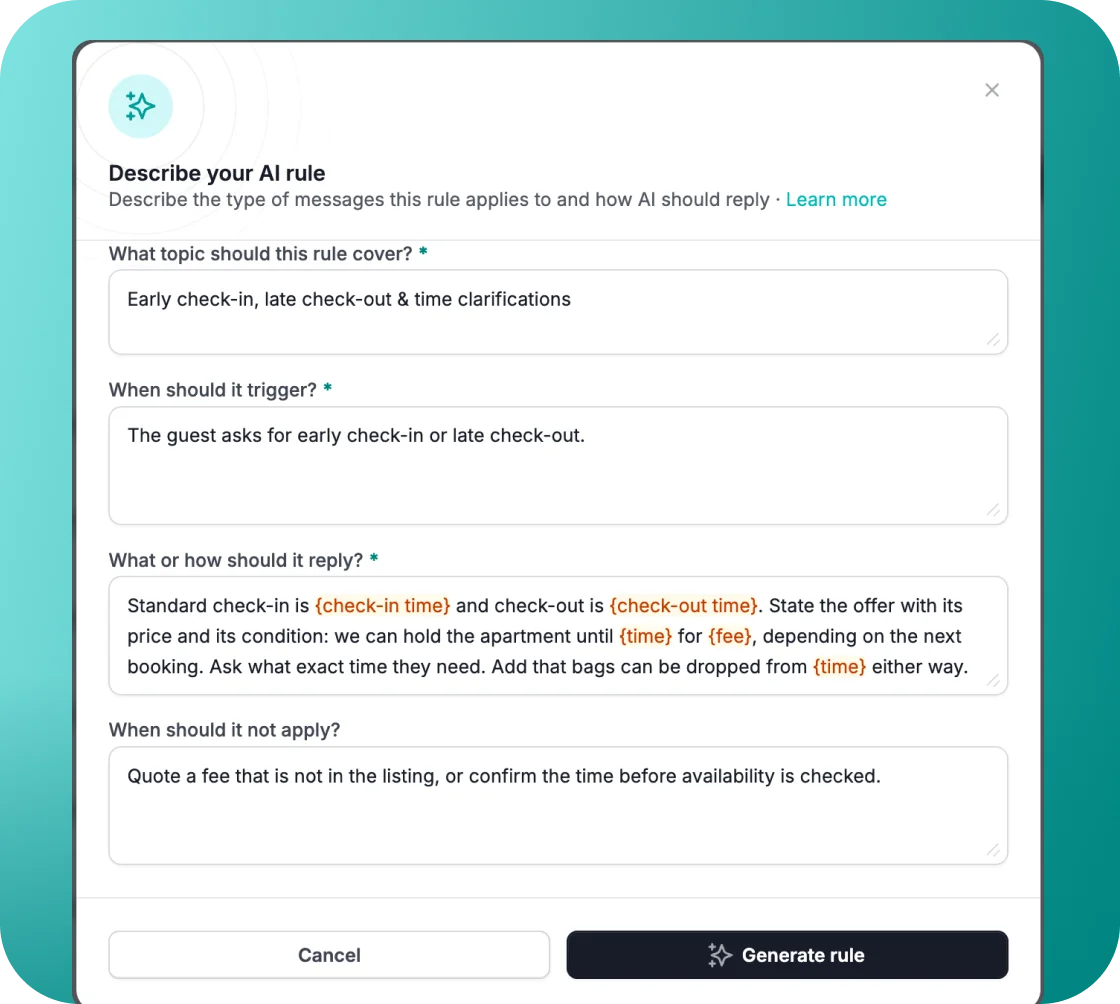
We've redesigned the AI Replies onboarding experience to guide you through every step. It's now much easier to discover, understand, and set up.
What's New:
- More Visible Enable Button: The "Enable AI Replies" button is now larger and clearly indicates that replies start in draft mode.
- See How AI Would Reply: Four one-click prompts in the Test AI panel. These cover a draft-mode reply, an auto-reply, an escalation, and a breakdown of what makes up a reply. You can see exactly how the feature works before enabling it.
- Guided Rule Creation: Clicking "Add rule" now opens a guided step instead of an empty form, with suggested themes (Wi-Fi, parking, early check-in, and more) as one-click chips. Recommendations adapt dynamically based on the rules you already have.
- Improved Testing: You can now select a specific reservation to test how AI would respond, including using reservation custom fields.
Why It Matters:
This makes AI Replies accessible to everyone. No more ambiguity about how it works or how to set up a rule. With guided setup and easier testing, you can get your AI replies live faster and with more confidence.
For more details, check out our USER GUIDE.