Improved Vrbo Onboarding to Prevent Single Sign On Errors
We’ve updated our Vrbo onboarding flow to make the single sign-on (SSO) connection more robust.
What’s new?
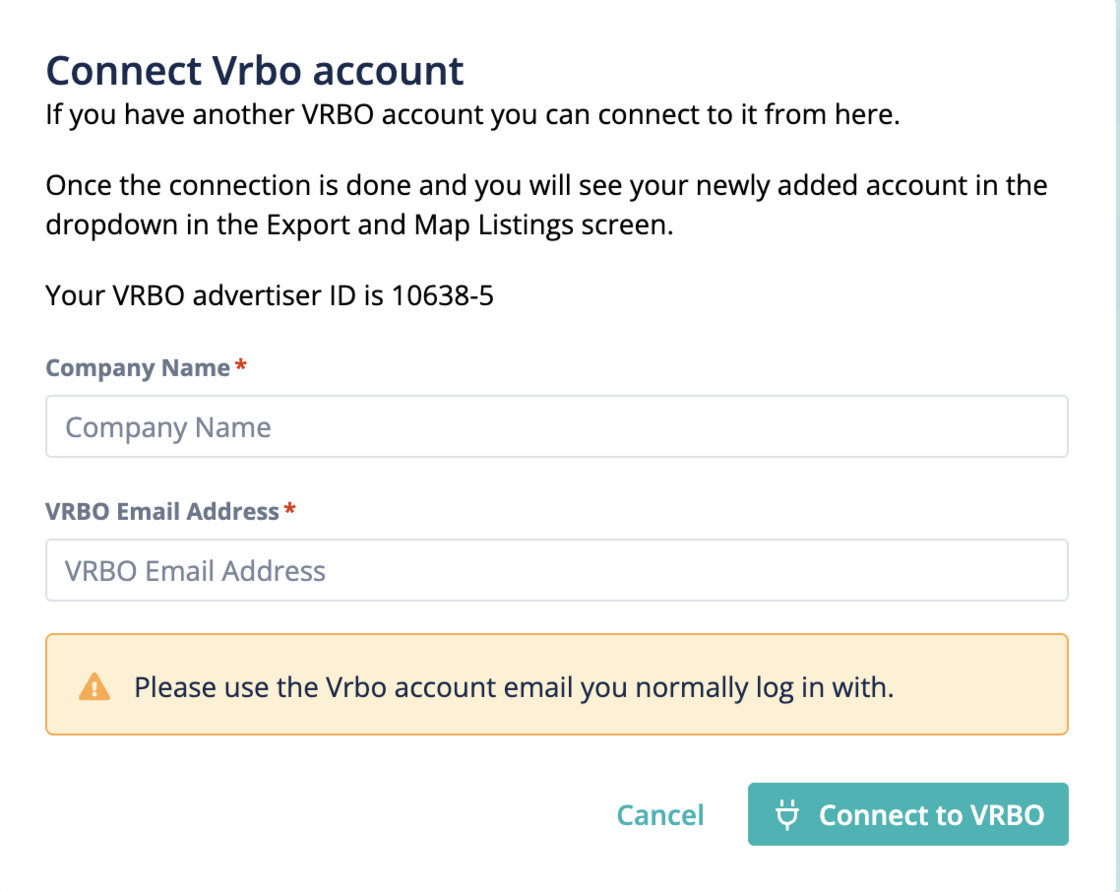
Instead of requiring property managers to copy and paste the Vrbo advertiser Id into Vrbo (which often caused mistakes and blocked SSO), we will now prompt them to enter their Company Name and Vrbo email address directly in Hostaway. We will then transfer this information to Vrbo via the API to reduce input errors happening the SSO.
How does it work:
-
When clicking "Connect Vrbo account" the property manager will be prompted to input their Company Name and VRBO Email address.
-
We will use the Company Name as the default name for the VRBO account.
-
The user will be redirected to finish SSO on VRBO.
Important: Make sure you enter your Vrbo email address (not your Hostaway login email).
If the wrong email is entered, you can restart the onboarding process with the correct one to prevent it from being blocked. For more details, check out our USER GUIDE.