Filter Inbox by Unresponded Messages
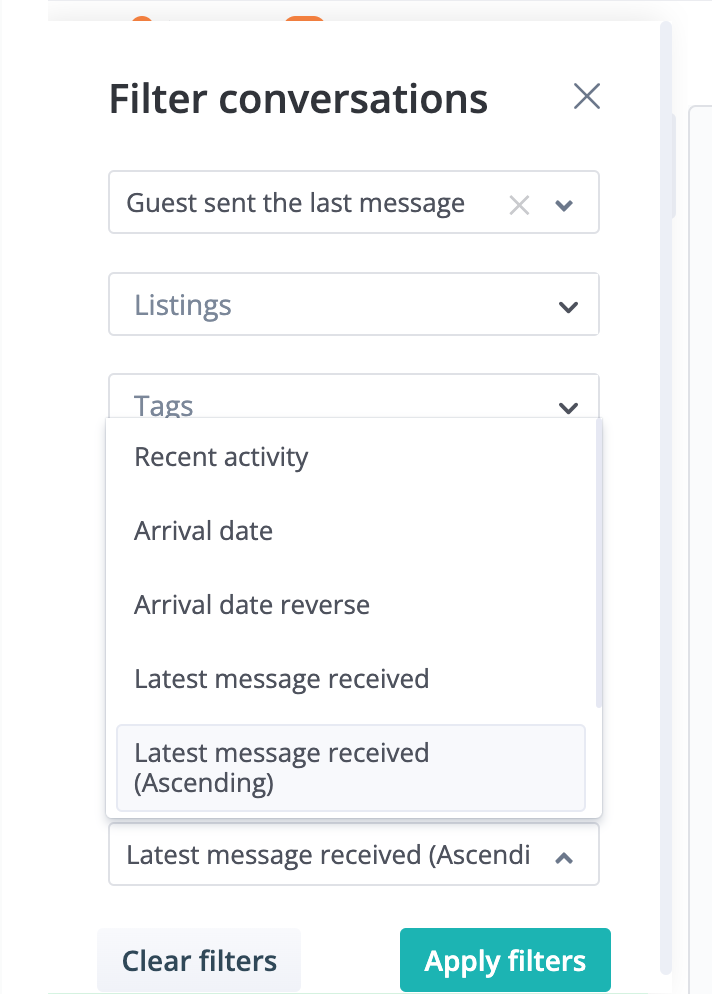
With all the ongoing conversations you have with guests throughout the day, it can be hard to ensure you've responded to all their latest messages.
That's why we've introduced this new filter and sorting option. Now, you can quickly find and prioritize the latest messages you may have read, but have yet to replied to, so you don't leave any guests in the dark.
How It Works
-
In the Inbox module, click the filter icon on the top left corner of your message list
-
Under Quick Filters, select "Guest sent the last message"
-
Under Sort By, select "Latest message received" (If you want to sort by the oldest unresponded message, select the "ascending" option)
-
Click "Apply filters"