Enroll Listings In Vrbo's 20% New Listing Promotion From Hostaway
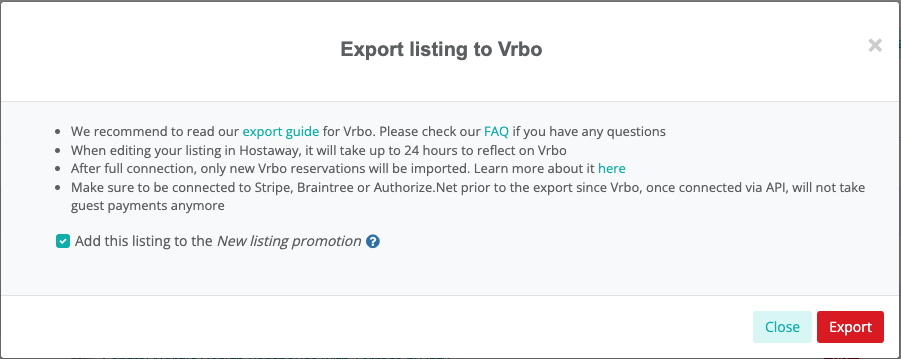
When adding a new listing to Vrbo, Vrbo recommends adding a 20% discount for the first 3 reservations to drive demand and get some reviews on the board.
Before, to use this discount feature, users would have to create their new listings in Vrbo, then import their listing to Hostaway.
Now, you can do this all directly in the Hostaway Dashboard!
How it works
-
Go to the Channel Manager module in the Hostaway Dashboard
-
Select the "Channels" tab at the top right
-
Beside Vrbo, select "Configure"
-
Beside the a Vrbo listing Hit "Export Listings"
-
In the pop-up (shown above), check the box "Add this listing to the New listing promotion".
-
Confirm, and you're done!
.
For more information on the exporting listings to Vrbo, check out our USER GUIDE