Download Owner Statements as an Excel File
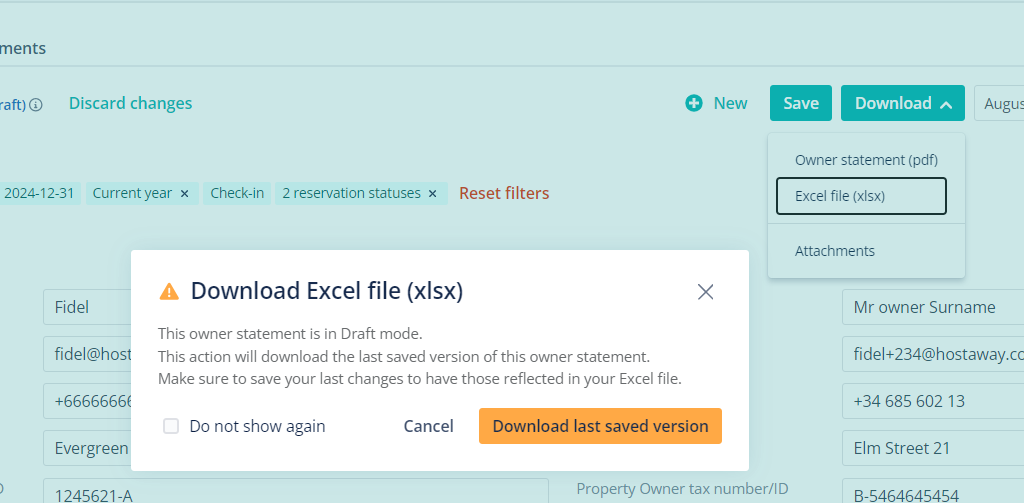
Before, users faced limitations when it came to modifying or customizing their owner statements. Most owner statements were available only as PDFs, restricting customization options for making layout changes, adding a minimum balance, breaking down expenses by tax, and including additional information such as occupancy data.
Based on your feedback, we’ve now introduced the ability to download owner statements in an Excel-compatible format (.xlsx).
How it works:
-
Go to ‘Owner Statements’ and click ‘Create & Edit’
-
Select the ‘Manage Statements’ section
-
Click ‘Download’ and a drop down menu will appear showing ‘Excel file (xlsx)’
With this new update, you can now modify and customize the owner statements to cater a broader range of needs for owner statements. For an overview of owner statements, you can check out the USER GUIDE.