Custom Fields in the Reservation and Inquiry Confirmation Pages
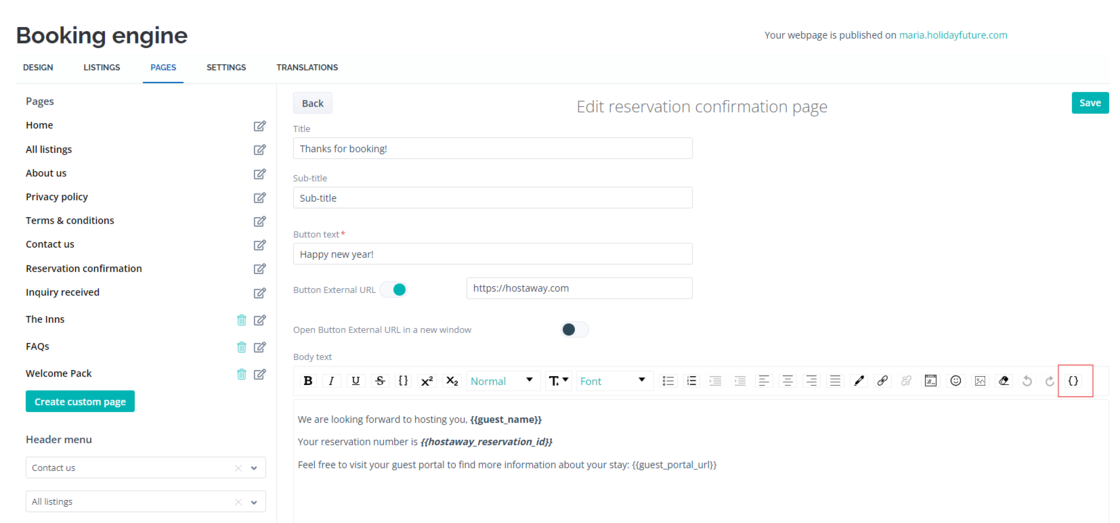
Previously, the Reservation Confirmation page lacked information relevant to guests' bookings, which could result in a lack of trust from your guests. Based on client feedback, custom fields have been added to the reservation and inquiry confirmation pages to provide the necessary details and enhance guest confidence.
How It Works:
-
Go to the Booking Engine
-
Click on ‘Pages’
-
Select ‘Reservation Confirmation’ or ‘Inquiry received’
-
Select ‘Edit’
This will help you personalize the message, add reservation number, guest portal link and much more. For more details, check out our booking engine USER GUIDE.