Bulk Actions for Owner Statements
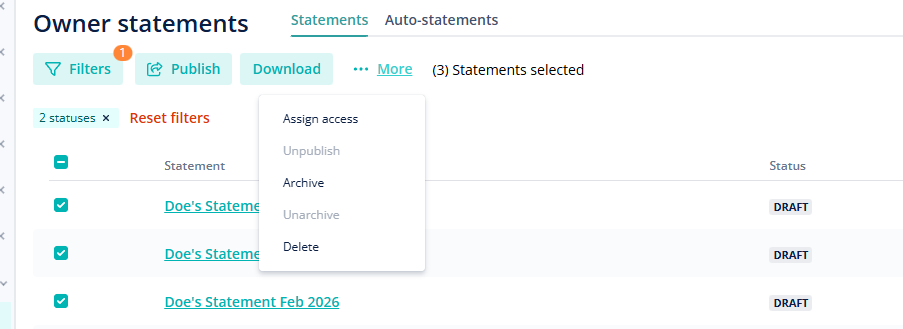
We released a new improvement to make managing multiple owner statements easier without repeating the same steps over and over. With our new bulk actions feature, you can take care of multiple statements at once.
How it works:
Head to the Owner Statements page and select as many statements as you need. Choose what you want to do:
-
Download (PDF, Excel, or attachments)
-
Archive or unarchive
-
Publish or unpublish
-
Delete
-
Set permissions (give access)
Why it matters:
Handle everything in one go and save time from repetitive work. For more details about bulk actions for owner statements, check out our USER GUIDE.