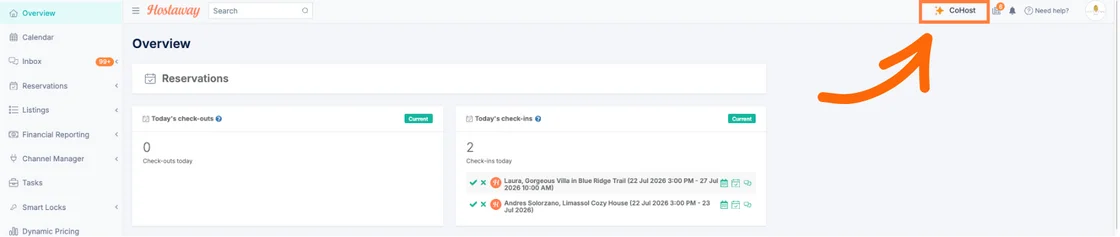
CoHost updates: Inbox assistant & Knowledge Base access
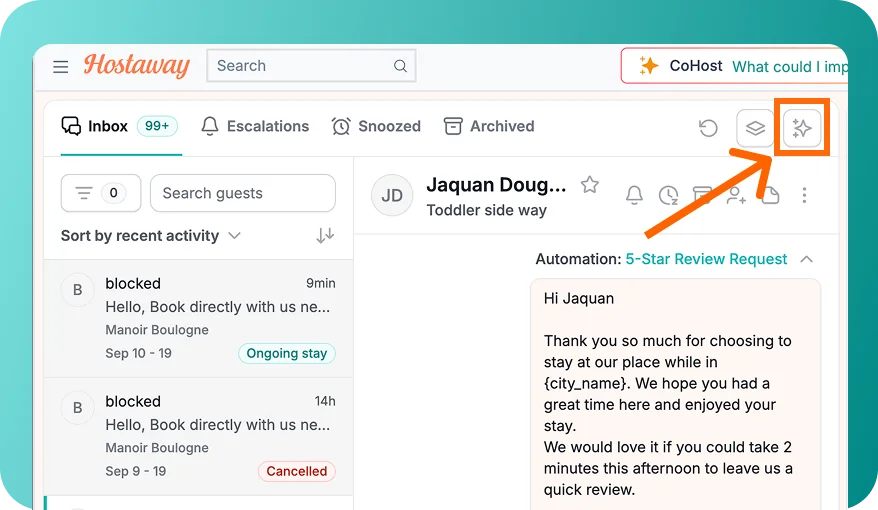
CoHost is expanding into two key areas of your workflow: it now works directly inside your Inbox, and Ask CoHost can now read your listing's AI Replies Knowledge Base.
What's new:
- CoHost in your Inbox: Open any conversation in the new Inbox and click Ask CoHost in the top tab bar. The side panel opens a dedicated chat that already knows the guest, reservation, and listing details; helping you catch up on messages, spot missed questions, and draft replies without leaving the page.
- Knowledge Base in Ask CoHost: CoHost now answers questions using facts from your AI Replies knowledge base (parking, trash days, appliance instructions) instead of returning "not configured" or guessing from descriptions.
- Sourced answers & no guessing: Every answer cites whether it came from listing fields or the knowledge base. If a detail is missing, CoHost directs you to the listing's Knowledge Base page to add it.
- Independent threads & permissions: Each Inbox conversation maintains its own CoHost thread so you can pick up where you left off, while team permissions are fully respected (indexing up to the 500 newest facts per listing).
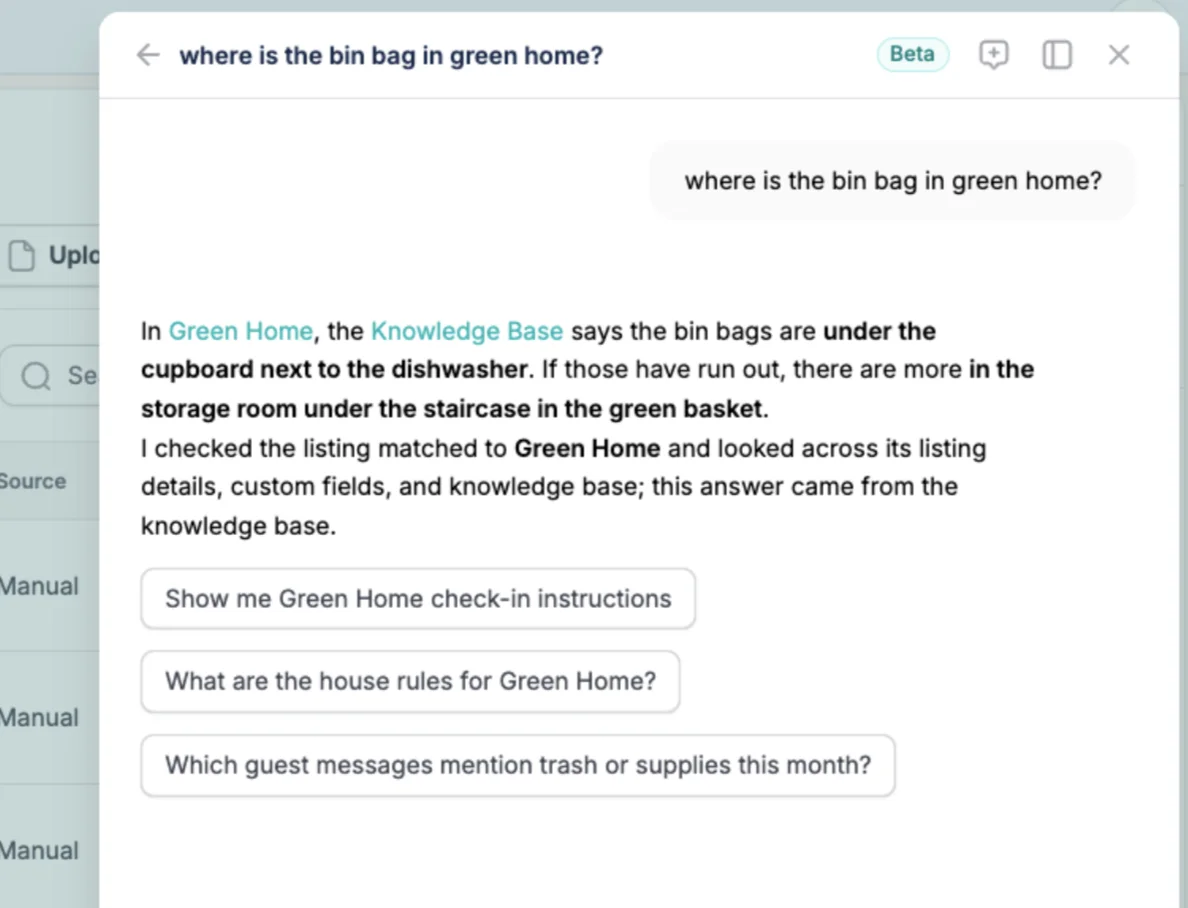
Sample prompts to try:
- In your Inbox: "Summarize it", "Did I miss anything?", "Did the guest confirm an arrival time?", or "Draft a reply that late check-out until 1pm is fine"
- For property details: "Where do guests park at Sunset Villa?", "Draft a reply with the parking info", or "Any conflicting details in Beach Villa?"
P.S. Have you tried CoHost yet? It's free to use, and pre-loaded with a bunch of popular questions to ask.