Adjust Dynamic Pricing by a Set % for Any Date Range
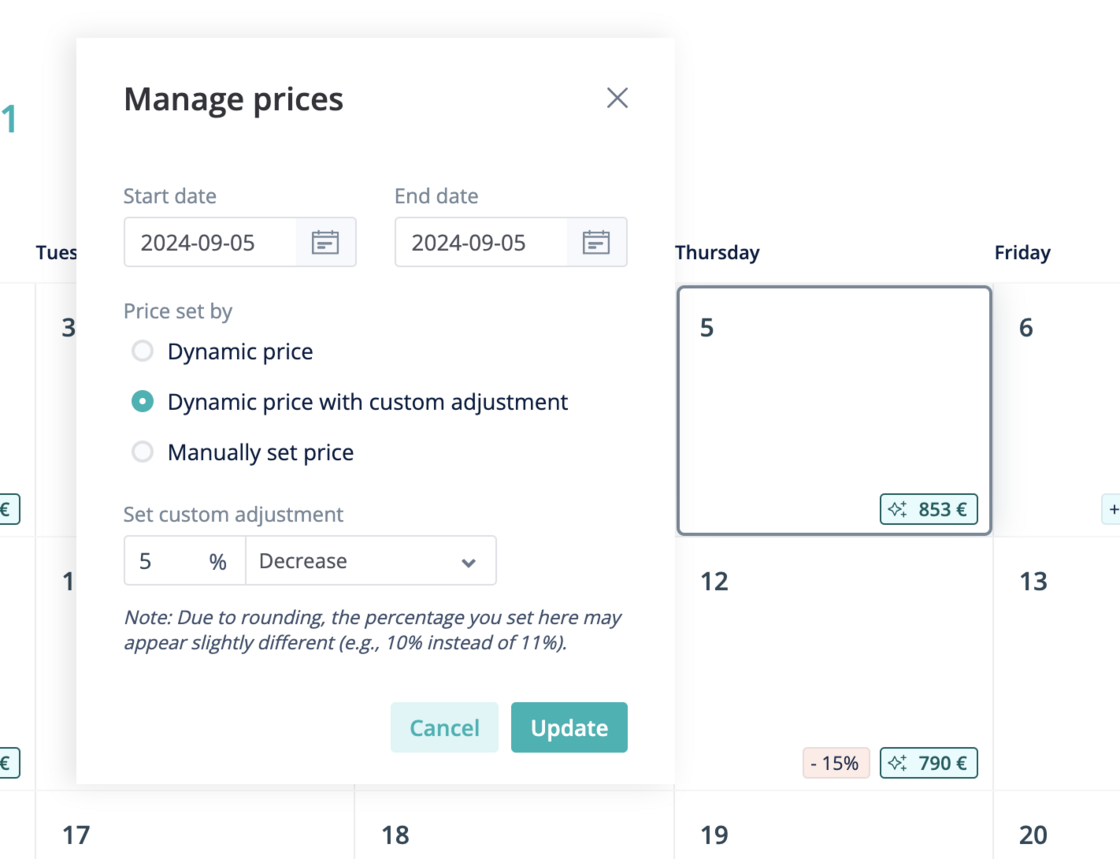
Before, there were two options when it came to setting Dynamic Pricing on specific dates:
-
Use Hostaway's Dynamic Pricing suggestions
-
Manually update the pricing to whatever rate you choose
Now, we're excited to introduce a 3rd option - adjust Dynamic Pricing suggestions by a custom %.
For example, if you feel like Dynamic Pricing suggestions were a bit too high for an upcoming week, you can enter a rule to make these prices 5% lower.
How it works
-
In the Dynamic Pricing module, click the Calendar" button next to any listing that has Dynamic Pricing active

-
On the Calendar, click on any date or date range you wish to adjust, then click "Dynamic price with custom adjustment", and set your % adjustment.
For more information on Dynamic Pricing, check out our USER GUIDE